Packages
Packages are Java’s way of organizing related classes and interfaces into named groups — think of them like folders on your filesystem. They keep large codebases manageable, prevent naming conflicts across libraries, and work hand-in-hand with access modifiers to control what code can see what.
Why Packages Matter
Imagine two developers on the same team both write a class called Date. Without packages, the compiler would have no way to tell them apart. Packages solve this by giving every class a fully qualified name: com.myapp.util.Date vs java.util.Date — completely different, no collision.
Beyond naming, packages:
- Group related code together (e.g. all networking classes live in
java.net) - Allow package-private access — classes in the same package can share members that the outside world cannot see
- Map directly to directory structure, making projects predictable and navigable
Declaring a Package
The package statement must be the very first line of a source file (before any imports or class declarations).
package com.devcraftly.shapes;

public class Circle {
    private double radius;

    public Circle(double radius) {
        this.radius = radius;
    }

    public double area() {
        return Math.PI * radius * radius;
    }
}
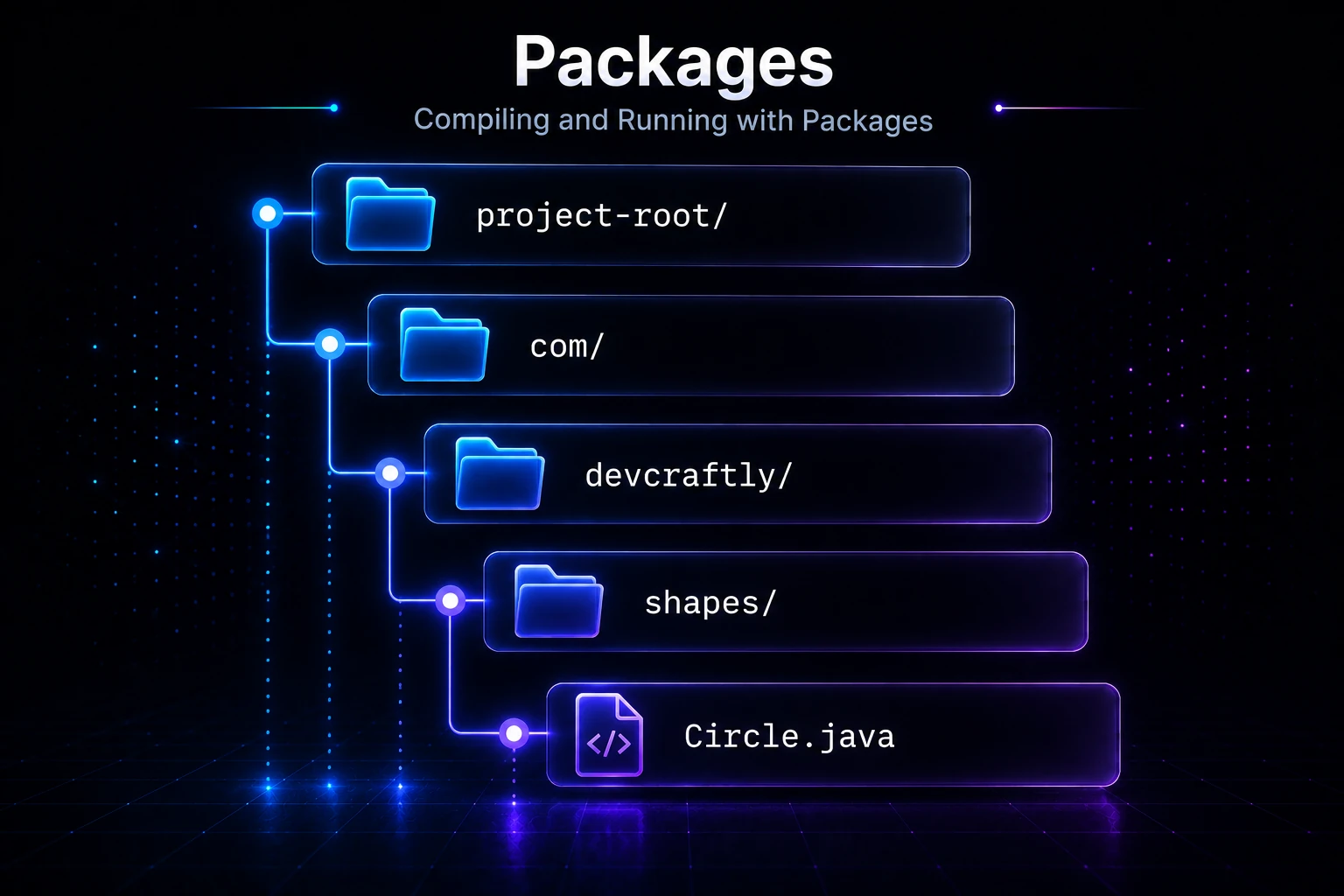
This file must live at the path com/devcraftly/shapes/Circle.java on your filesystem. The directory structure mirrors the package name exactly.
Note: If you omit the
packagestatement entirely, the class belongs to the default (unnamed) package. This is fine for tiny experiments but should never be used in real projects — you cannot import default-package classes from named packages.
Naming Conventions
Java package names follow a well-established reverse-domain convention to guarantee global uniqueness:
| Level | Example | What it means |
|---|---|---|
| Top-level domain | com, org, net | Organization type |
| Organization | com.google | Company/owner |
| Project | com.google.gson | The library |
| Module/layer | com.google.gson.internal | Internal sub-module |
All package names are lowercase — no camelCase, no underscores (unless the domain name requires one). See Naming Conventions for the full style guide.
Importing Classes from Other Packages
Once a class is in a package, other code references it either by its fully qualified name or with an import statement.
package com.devcraftly.app;

// Import a specific class
import com.devcraftly.shapes.Circle;

// Import all public types in a package (the "wildcard import")
import java.util.*;

public class Main {
    public static void main(String[] args) {
        Circle c = new Circle(5.0);          // works because of import
        java.util.Date d = new java.util.Date(); // fully qualified — no import needed
        System.out.println("Area: " + c.area());
    }
}
Output:
Area: 78.53981633974483Tip: Wildcard imports (
import java.util.*) do not slow down compilation or runtime — only the classes you actually reference are loaded. But explicit single-type imports make it obvious which classes your file depends on, which is why most style guides prefer them.
Static Imports
You can import static members (fields and methods) directly so you don’t have to qualify them with the class name every time.
import static java.lang.Math.PI;
import static java.lang.Math.sqrt;

public class Geometry {
    public static void main(String[] args) {
        double hypotenuse = sqrt(3 * 3 + 4 * 4); // no Math. prefix needed
        System.out.println("PI = " + PI);
        System.out.println("Hypotenuse = " + hypotenuse);
    }
}
Output:
PI = 3.141592653589793
Hypotenuse = 5.0
See Static Import for a deeper look.
Subpackages
A subpackage is simply a package whose name has more dot-separated segments. com.devcraftly.shapes.threed is a subpackage of com.devcraftly.shapes — but Java treats them as completely independent namespaces. A wildcard import of the parent does NOT include the child.
// This does NOT import com.devcraftly.shapes.threed.*
import com.devcraftly.shapes.*;
If you need classes from both, you import them separately.
Built-In Packages You Use Every Day
Java ships with a rich standard library organized into packages:
| Package | What it contains |
|---|---|
java.lang | String, Math, Object, System — auto-imported |
java.util | Collections, Scanner, Date, Random |
java.io | File I/O streams — see Java I/O |
java.net | Sockets, URLs — see Networking |
java.time | Modern date/time — see Date/Time API |
java.util.concurrent | Thread-safe utilities — see Concurrent Collections |
java.lang is the only package that Java imports for you automatically. Everything else requires an explicit import or fully qualified name.
Packages and Access Control
Packages are a core dimension of Java’s access modifier system. Here’s how they interact:
| Modifier | Same class | Same package | Subclass (other package) | Anywhere |
|---|---|---|---|---|
private | Yes | No | No | No |
| (no modifier) — package-private | Yes | Yes | No | No |
protected | Yes | Yes | Yes | No |
public | Yes | Yes | Yes | Yes |
The default (package-private) access level is powerful: it lets classes in the same package cooperate closely without exposing internal details to the rest of the world. This is a key tool in encapsulation.
package com.devcraftly.internal;

class Helper {               // package-private — only visible inside this package
    static String format(String s) {
        return "[" + s + "]";
    }
}

public class PublicAPI {     // public — visible everywhere
    public static void printFormatted(String s) {
        System.out.println(Helper.format(s));  // can use Helper freely
    }
}
Code outside com.devcraftly.internal can call PublicAPI.printFormatted() but has no idea Helper even exists.
Compiling and Running with Packages
When you compile and run code organized into packages from the command line, you must be at the project root (the directory that contains your top-level package folder).
project-root/
└── com/
    └── devcraftly/
        └── shapes/
            └── Circle.java
# Compile (from project-root)
javac com/devcraftly/shapes/Circle.java
# Run using the fully qualified class name (no .java, no slash)
java com.devcraftly.shapes.CircleMost developers use a build tool (Maven, Gradle) that handles this automatically — but knowing the underlying mechanics helps when things go wrong.
Under the Hood
When the JVM needs a class like com.devcraftly.shapes.Circle, the class loader translates the package name to a filesystem path by replacing each . with the platform’s file separator. It then searches each entry in the classpath (-cp flag or CLASSPATH env var) for that relative path.
At the bytecode level, every .class file stores its fully qualified name in the constant pool. The JVM uses this to enforce the link between the binary and the directory it came from — if the package declaration says com.devcraftly.shapes but the file lives in com/devcraftly/util/, you’ll get a NoClassDefFoundError at runtime.
Since Java 9, the module system (JPMS) adds a layer on top of packages. Modules declare which packages they export and which other modules they require, giving you stronger encapsulation than packages alone. Before modules, any code on the classpath could reach any public class — modules close that gap for production libraries and the JDK itself.
Tip: Even if you’re not writing a module, understanding packages deeply prepares you for the module system, which is increasingly common in modern Java codebases.
Related Topics
- Access Modifiers — understand how
public,protected, package-private, andprivateinteract with packages - Encapsulation — packages are one of the two main tools Java uses to enforce encapsulation
- Class Loaders & Class Loading — how the JVM finds and loads classes by their package path at runtime
- Static Import — import static members directly to reduce verbosity
- Java 9: Modules (JPMS) — the modern layer above packages for stronger encapsulation
- Naming Conventions — the full style guide covering package, class, and method naming rules