FileInputStream
FileInputStream is Java’s go-to class for reading raw bytes from a file. Whether you’re processing images, audio, binary data, or just reading a plain text file at the byte level, FileInputStream gives you direct, low-level access to a file’s contents.
What Is FileInputStream?
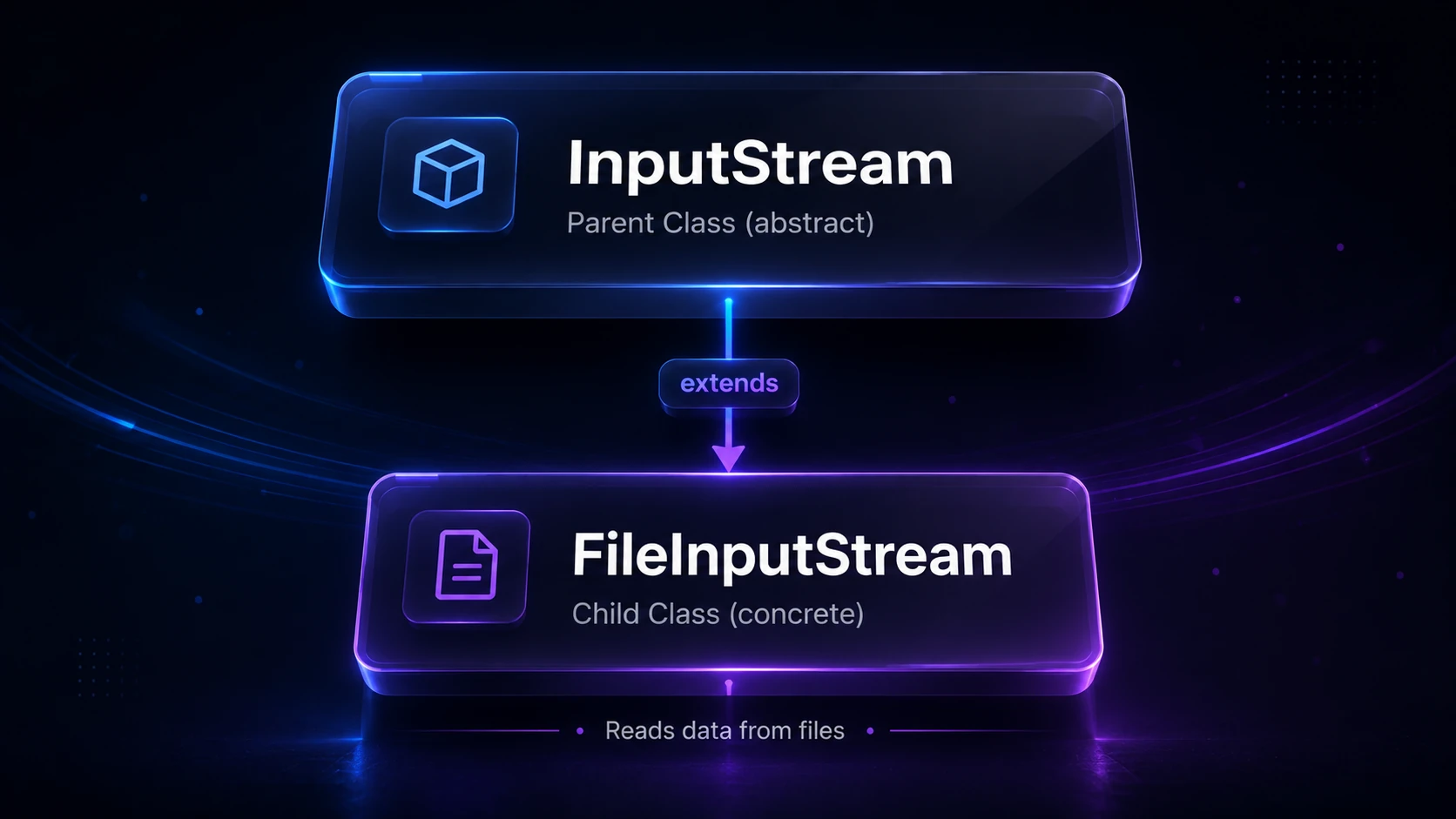
FileInputStream extends InputStream and belongs to the java.io package. It reads a file one byte at a time (or in chunks), making it ideal for binary data. If you need to read characters and text, you’d typically wrap it in an InputStreamReader or use FileReader directly — but for raw bytes, FileInputStream is the tool.
InputStream
  └── FileInputStream
Note:
FileInputStreamreads bytes, not characters. For human-readable text, consider BufferedReader or FileReader which handle character encoding for you.
Creating a FileInputStream
You can construct a FileInputStream from either a file path string or a File object.
import java.io.FileInputStream;
import java.io.File;
import java.io.IOException;

public class CreateExample {
    public static void main(String[] args) throws IOException {
        // From a path string
        FileInputStream fis1 = new FileInputStream("data.txt");

        // From a File object
        File file = new File("data.txt");
        FileInputStream fis2 = new FileInputStream(file);

        fis1.close();
        fis2.close();
    }
}
If the file does not exist, the constructor throws a FileNotFoundException (a subclass of IOException).
Reading a Single Byte
The read() method reads one byte and returns it as an int between 0 and 255. It returns -1 when the end of the file is reached.
import java.io.FileInputStream;
import java.io.IOException;

public class ReadSingleByte {
    public static void main(String[] args) throws IOException {
        FileInputStream fis = new FileInputStream("data.txt");

        int byteData;
        while ((byteData = fis.read()) != -1) {
            System.out.print((char) byteData);
        }

        fis.close();
    }
}
Output: (assuming data.txt contains Hello)
HelloWarning: Reading one byte at a time is extremely slow for large files because every
read()call involves a system call. Always prefer bulk reads or wrap with BufferedInputStream for real-world use.
Reading Into a Byte Array (Bulk Read)
The read(byte[] b) method fills a buffer array and returns the number of bytes actually read. This is far more efficient.
import java.io.FileInputStream;
import java.io.IOException;

public class ReadBulk {
    public static void main(String[] args) throws IOException {
        FileInputStream fis = new FileInputStream("data.txt");

        byte[] buffer = new byte[1024]; // read up to 1024 bytes at a time
        int bytesRead;

        while ((bytesRead = fis.read(buffer)) != -1) {
            // Convert bytes to String for display
            System.out.print(new String(buffer, 0, bytesRead));
        }

        fis.close();
    }
}
Tip: Choosing a buffer size of
4096or8192bytes is a common sweet spot — it matches typical OS page sizes and keeps memory use low while minimizing system calls.
Reading a Specific Range of Bytes
read(byte[] b, int off, int len) lets you read len bytes into b starting at offset off inside the array.
import java.io.FileInputStream;
import java.io.IOException;

public class ReadRange {
    public static void main(String[] args) throws IOException {
        FileInputStream fis = new FileInputStream("data.txt");

        byte[] buffer = new byte[20];
        // Read up to 10 bytes, store starting at index 5
        int bytesRead = fis.read(buffer, 5, 10);

        System.out.println("Bytes read: " + bytesRead);
        fis.close();
    }
}
Output:
Bytes read: 10Using try-with-resources (Recommended)
Since Java 7, the best way to use FileInputStream is inside a try-with-resources block. It automatically closes the stream even if an exception is thrown — no manual close() needed.
import java.io.FileInputStream;
import java.io.IOException;

public class TryWithResources {
    public static void main(String[] args) {
        try (FileInputStream fis = new FileInputStream("data.txt")) {
            byte[] buffer = new byte[512];
            int bytesRead;
            while ((bytesRead = fis.read(buffer)) != -1) {
                System.out.print(new String(buffer, 0, bytesRead));
            }
        } catch (IOException e) {
            System.err.println("Error reading file: " + e.getMessage());
        }
    }
}
Tip: Always use try-with-resources. Forgetting to close an
InputStreamleaks a file descriptor, and on some systems this can prevent other processes (or your own code) from opening the file later.
Useful Methods
| Method | Description |
|---|---|
int read() | Reads one byte; returns -1 at end of file |
int read(byte[] b) | Reads bytes into array; returns count read or -1 |
int read(byte[] b, int off, int len) | Reads len bytes into array at offset off |
long skip(long n) | Skips over and discards n bytes |
int available() | Returns an estimate of bytes available without blocking |
void close() | Closes the stream and releases the file descriptor |
FileChannel getChannel() | Returns the underlying FileChannel for NIO operations |
Skipping Bytes
Sometimes you want to jump over a header or known section of a file. Use skip():
import java.io.FileInputStream;
import java.io.IOException;

public class SkipExample {
    public static void main(String[] args) throws IOException {
        try (FileInputStream fis = new FileInputStream("data.txt")) {
            fis.skip(5); // skip the first 5 bytes
            int byteData;
            while ((byteData = fis.read()) != -1) {
                System.out.print((char) byteData);
            }
        }
    }
}
Checking Available Bytes
available() returns a non-blocking estimate of bytes left. It’s useful for pre-allocating a buffer, but do not rely on it to know the true file size — it can return 0 for files on certain systems.
try (FileInputStream fis = new FileInputStream("data.txt")) {
    System.out.println("Estimated available bytes: " + fis.available());
}
Copying a File with FileInputStream
A practical real-world use: copy a file byte-by-byte (or chunk-by-chunk) using FileInputStream paired with FileOutputStream.
import java.io.FileInputStream;
import java.io.FileOutputStream;
import java.io.IOException;

public class FileCopy {
    public static void main(String[] args) {
        String source = "original.png";
        String destination = "copy.png";

        try (FileInputStream fis = new FileInputStream(source);
             FileOutputStream fos = new FileOutputStream(destination)) {

            byte[] buffer = new byte[4096];
            int bytesRead;

            while ((bytesRead = fis.read(buffer)) != -1) {
                fos.write(buffer, 0, bytesRead);
            }

            System.out.println("File copied successfully.");
        } catch (IOException e) {
            System.err.println("Copy failed: " + e.getMessage());
        }
    }
}
Output:
File copied successfully.Under the Hood
When you construct a FileInputStream, the JVM asks the operating system to open the file and return a file descriptor — a small integer that represents your open handle to the file in the OS’s file descriptor table.
Each call to read() (single-byte form) translates to a native read system call that copies one byte from kernel space into JVM heap memory. System calls are expensive because they require a context switch between user mode and kernel mode. This is why reading one byte at a time is so costly — each iteration pays the full round-trip overhead.
When you use the bulk read(byte[] buffer) form, the OS copies a whole block of bytes in one system call, amortizing that cost across many bytes at once. If you add BufferedInputStream on top, it goes a step further: it reads a large internal buffer (default 8 KB) in one system call and then serves your individual read() calls from that in-memory buffer without hitting the OS every time.
The getChannel() method exposes the underlying FileChannel, which enables memory-mapped I/O and scatter/gather operations via the NIO.2 API — useful for high-performance scenarios where you need to read many gigabytes without copying data between buffers.
When the file descriptor is not closed, the JVM’s finalizer eventually calls close(), but finalization is non-deterministic — you could run out of file descriptors before GC runs. This is exactly why try-with-resources exists.
Common Pitfalls
- Not closing the stream — always use try-with-resources.
- Assuming
read()fills the buffer —read(byte[] b)can return fewer bytes thanb.lengtheven if more data is available. Always use the returned count, notb.length, when processing the buffer. - Reading text as bytes without specifying encoding —
new String(buffer, 0, bytesRead)uses the platform’s default charset. Be explicit:new String(buffer, 0, bytesRead, StandardCharsets.UTF_8). - Using
available()as file size — it returns an estimate and can be wrong. UseFiles.size(path)from the NIO API for the actual size.
import java.nio.file.*;

long fileSize = Files.size(Path.of("data.txt"));
System.out.println("File size: " + fileSize + " bytes");
Related Topics
- FileOutputStream — write raw bytes to a file, the natural companion to
FileInputStream - BufferedInputStream — wrap
FileInputStreamfor dramatically faster reads with an internal buffer - Java I/O — overview of the entire
java.iostream hierarchy - Byte vs Character Streams — understand when to use byte streams versus character streams
- NIO.2: Path & Files — modern high-performance file I/O using
java.nio.file - Serialization — use
ObjectInputStream(built on top ofInputStream) to deserialize objects from files